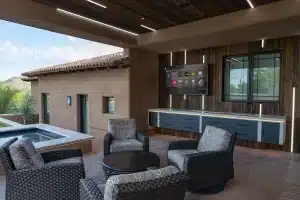

The controls you use most should be easy to reach. Control4 X4 puts more emphasis on a personalized Home Screen, giving homeowners a way to organize the smart home around their everyday activities.
For an existing Control4 owner, the useful question is which tasks the updated experience could make simpler. A successful upgrade should improve those tasks and keep familiar household functions reliable.
Personalization with a practical purpose
Control4 describes customizable widgets for quick access to frequently used functions, including cameras and device status. Widgets can be rearranged and resized to suit the layout. X4’s Routines provide a homeowner-editable way to create personalized actions with schedules.
Those capabilities suggest a useful starting point: build around a few frequent tasks, then expand as the household becomes familiar with the interface. Required software, compatible devices and service entitlements should be checked for the selected features.
What belongs on your Home Screen?
Make a short list of the actions you perform every day. It might include a favourite lighting scene, music in the kitchen or a view of the entrance. Put that list ahead of the temptation to show every available device at once.
We recommend testing the layout with everyone who will use it. Can a guest understand the room names? Can someone find the control they need without navigating through several unrelated screens? A clear arrangement matters more than filling every available space.
Give routines a clear boundary
As an illustrative planning exercise, describe an evening routine in one sentence, then list its trigger, actions and stopping point. Decide what should happen when someone manually changes a light or when another schedule becomes active.
This is especially useful in a home with existing dealer programming. The upgrade review should identify overlapping automation so a new routine supports the household’s intended behaviour.
Review the existing system before migrating
Ask for an inventory of controllers, touchscreens, remotes and important integrations. Agree on the target software, any required replacements and any ongoing service costs before work begins.
Also record the functions that must continue to work: room sources, volume, scenes, shades and intercom where installed. A migration is complete when those functions have been tested alongside the new experience, and the household understands the result.
Explore X4 with Dana Smart Homes
Read our X4 upgrade guide for the detailed checklist. For a review of your existing installation, contact Dana Smart Homes.
Product reference: Control4 Smart Home Experience. Manufacturer marketing image. Confirm current feature eligibility and service requirements for your installation.